Browse for Node-RED Flows During Remote Instance Setup
← Back to the Changelog
Last month we introduced a way for the FlowFuse Device Agent to import Node-RED flows during the setup process. Today, we have built on that and added some new features:
- Automatically scan common file locations and offer any flows found for immediate selection
- Scan common directories and present any that contain multiple flows as a quick browse selection
- Offer a "Browse filesystem" option to let you navigate and select any flows on your device
Lets see it in action
Import automatically located ~/.node-red/flows.json flows file
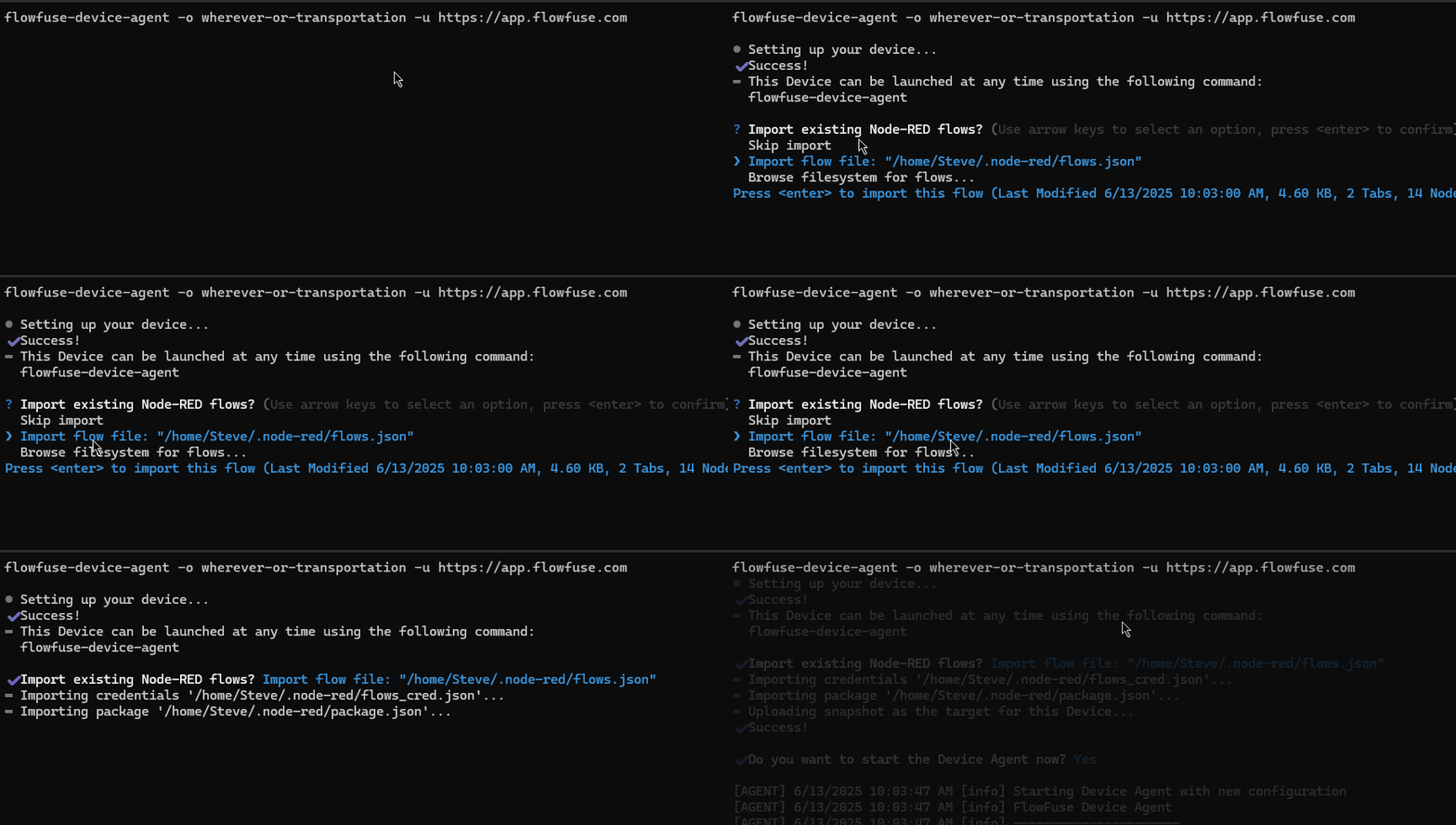 Screenshot of the Importing an Automatically located flows file during Device Agent Setup
Using the "Browse filesystem" option to navigate the filesystem to chose a different flows file
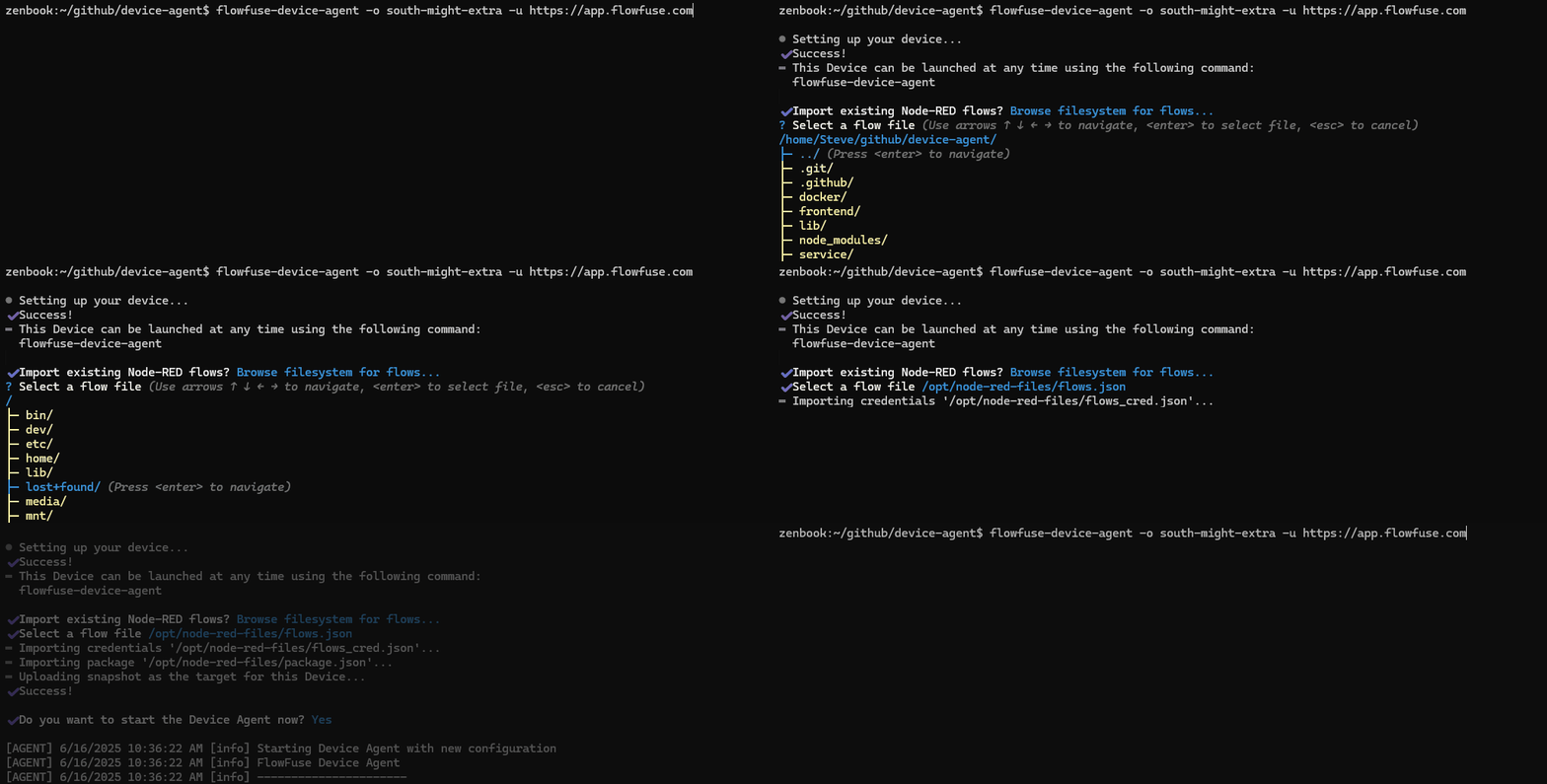 Screenshot of Browsing the filesystem for flows file during Device Agent Setup
We hope these new enhancements make the process of migrating existing Node-RED flows to FlowFuse even easier.
Written By:
Steve McLaughlin
Published on: