Digital Ocean Release Process
When a release is tagged in the Digital Ocean repository a GitHub Action will run and rebuild the image.
Once complete the Release Manager should post to the #dev slack chanel to ask somebody with Digital Ocean access to do the following steps.
- Log into the FlowFuse team on Digital Ocean
- Navigate to the "Backups & Snapshots" section, from the "Manage" options in the left hand menu
- Select the new image from the "Droplets" list and click on "More"
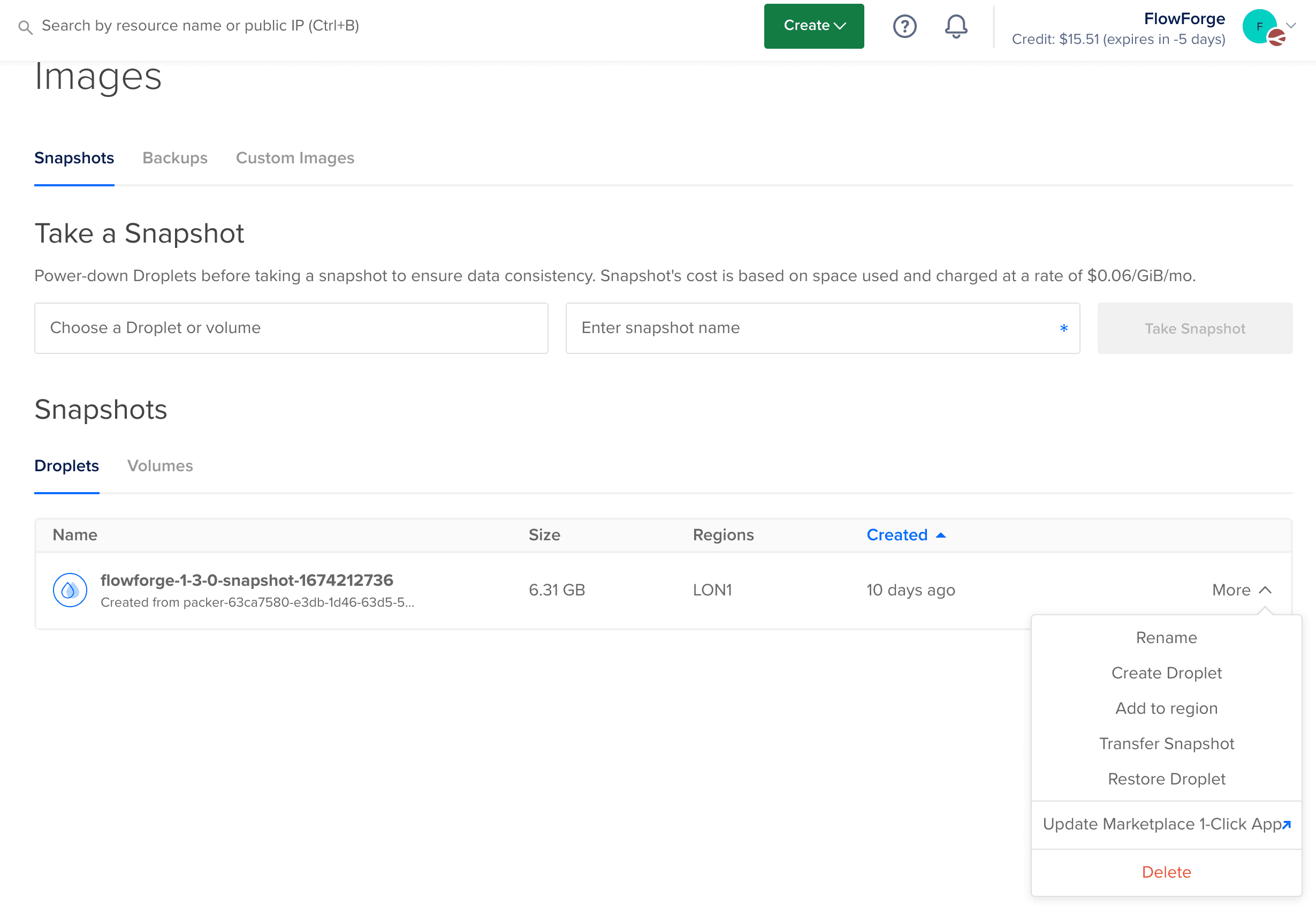
- Select the "Update Marketplace 1-Click App"
- Select the FlowFuse entry, not the old FlowForge entry
- Update the version numbers and any documentation in the Marketplace form
- Submit the new image for review, this will take 3-4 days before the new version is on the Market Place